DVI Emulator, DVI EDID Copy, DVI EDID Emulator, DVI-DL, VDDC-220DVI
VDDC-220DVI, DVI Emulator, EDID FEEDER is designed to store or emulate the EDID (Extended Display Identification Data) information for ensuring optimal video display. EDID is of great important which covers more information about manufacturer name, serial number, product type, maximum image size, color characteristics, factory preset timing, and frequency range limits. Therefore, if the EDID from the display or monitor is not available, our product provides you dedicated EDID data. DVI Emulator can alternatively perform the default or the copies EDID for the connected display, which have the screen fully matches with the device you attach to, plus prolonging lives of your display device. In addition, the HDCP pass-through feature allows the unit pass-through HDCP encryption from your source device to your HDCP display without anything change.
EDID Feeder: EDID Emulator (DDC Ghost)
EDID Auto Learning and EDID Copy functions allow the DVI Emulator VDDC-220DVI, either to read the necessary EDID information from the unit itself or to copy EDID from the EDID compliant monitor/ projector, which ensure the accurate output display. VDDC-220DVI aggregates EDID Feeds from DVI compliant monitor and supports both Permanent (EDID Copy) and Temporary (EDID Auto Learning) EDID configurations.
NOTE: EDID Auto Learning records the EDID information but the EDID data will be erased after hot plug or power off
VDDC-220DVI keeps the EDID information, recalls a EDID setting in non-volatile memory, performs this data to your display system, and allows your source to boot with accuracy.
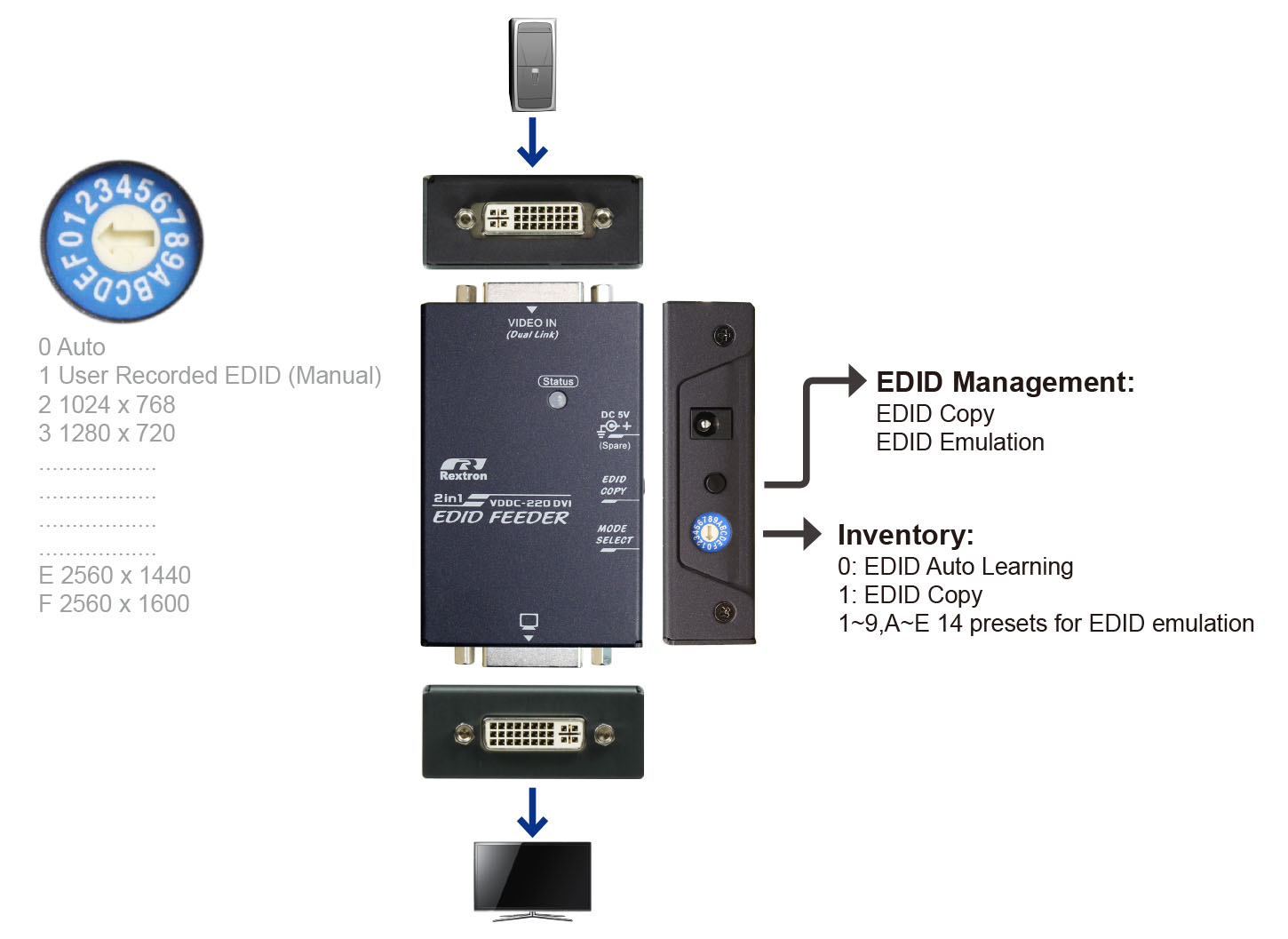
When is it appropriate to use the EDID simulation function?- Bridging: When the EDID signal cannot be fully communicated between the AV source (PC/ DVD Player) and the AV playback devices (Monitor/ Projector, Extender/ Switcher/ Distributor) for some reason, EDID Emulator intervenes to help build a bridge of communication.
- Set Screen Resolution (Limiter): Prevent the AV source from outputting inappropriate resolution that exceeds the capability of the back-end playback equipment or system.
- System Startup: Front-end devices PC or Player usually cannot boot or play videos normally when the screen connection is lost. EDID simulation can mimic screen connection and force the devices to complete all normal operations without the need for an external monitor.
- Engineering test: High-end screen or projector is expensive. Multiple displays and tiresome cable connections are required for the EDID compliance testing. EDID simulation function eliminates the repeated plugging and unplugging of cables, avoids the continuous moving of the cumbersome monitor, and reduces the test time and cost.
Founded in 1998, Rextron International, Inc. is a leading company in IT fields and has invested a great amount of time and capital in developing new and advanced technology which covers:
- KVM Switches : 8K Video, Multi View, USB-C, USB 3.2 Gen 2 (10G), Mouse Roaming
- KVM / AV Extenders : 4K Matrix Switch, 12G SDI, Over CAT-X / Fiber, Wall Plate / Desktop
- Pro-A/V Products : 8K / 4K Matrices, Audio Insert / Breakout, 8K / 4K Video Converters
The OEM/ODM business tailored to customers' need is welcomed at Rextron.
Highlighted Features
EDID Ghost (DDC Ghost)
- Reads and stores (record) the EDID from the display or monitor connected for video extension system
EDID Emulation
- Emulates EDID information for ensuring optimum video resolution
- Provides a default EDID, if a display's EDID is not available
- Alternatively, delivers the default or the copies EDID for the connected display device
Connection Scenario
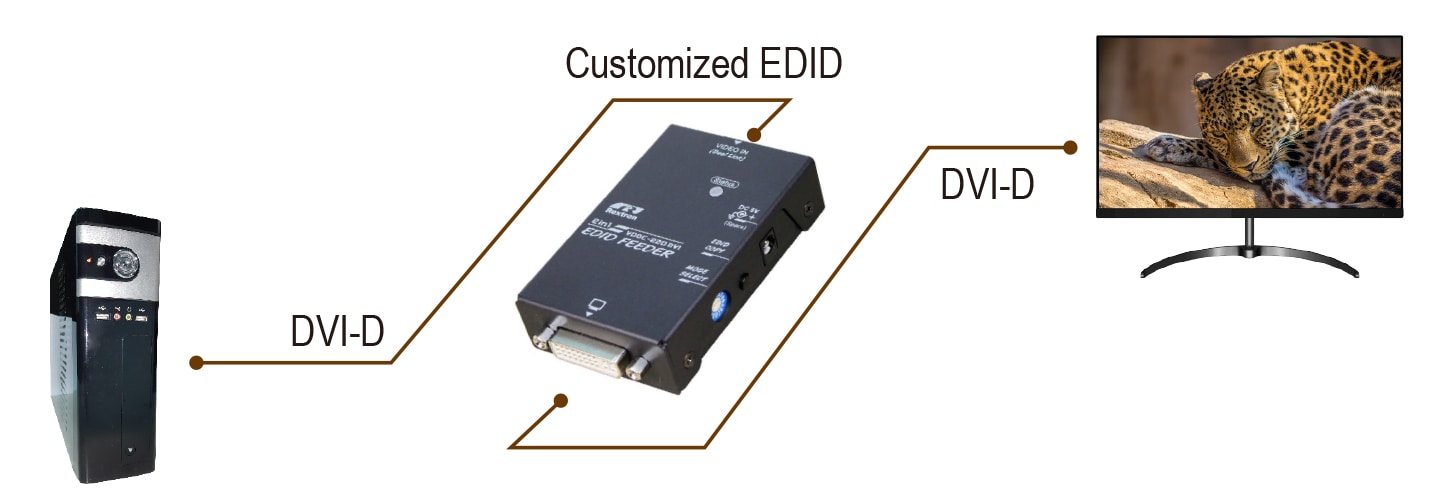
https://www.rextron.com/product-2-in-1-DVI-D-EDID-FEEDER-With-Ghost---Emulator-VDDC-220DVI.html
